







Event has already taken place!
Do you have questions about BiblioTech? We’ve tried to answer many frequently asked questions below. If you can’t find the answer to your question, please ask us. We are happy to help!
Do you have questions about BiblioTech? We’ve tried to answer many frequently asked questions below. If you can’t find the answer to your question, please ask us. We are happy to help!
Currently, residents, taxpayers and employees of Bexar County are eligible to register for a BiblioTech library card. Registration is free, as are all of our resources. Everyone is welcome to come visit our branch locations and use our resources!
We are so sorry if you registered for a BiblioTech Public Library card and did not receive an email with your card number. Sometimes, our emails are blocked by different spam filters.
If you don’t receive your card number within five minutes of submitting your online registration, please either chat with us (green box on the bottom left of the screen), call one of our branch locations, or send an email to bibliotechinfo@bexar.org that includes your full name, address, and birth date. We will look up your information and respond as soon as possible with your card number!
We highly recommend downloading the individual resource apps (you can find the link on our homepage) and logging into each app there (you only have to sign in once on each device).
However, there are also web browser options. If you want to check out books, please sign into cloudLibrary, Hoopla or BiblioBoard. If you want to sign in to do work on one of our active learning resources, please sign in with those platforms.
If you don’t remember your card number, please contact us, we will be happy to provide it to you! You can also send us an email or chat with us by clicking on the orange box in the bottom, left corner.
You can reset your password here. You can also contact us via phone or send us an email or chat with us by clicking on the green box in the bottom, left corner of the page during open hours.
That’s great! We are lucky to have two public library systems in Bexar County. However, to access BiblioTech resources, you have to register for a BiblioTech card. We work closely with SAPL, but we are a separate system!
BiblioTech library cards expire every five years, but we are happy to renew your account.
To continue to have access to our online resources, you can call us, chat with us online during open hours, or fill out our library card renewal form.
To continue to have access to our physical resources, you must provide a photo ID with your current address at a BiblioTech branch.
To apply for BiblioTech jobs, please visit the Bexar County Human Resources page, where all jobs are posted. All applications must come through the HR webpage.
Once you have registered with BiblioTech, you are ready to check out books! We highly recommend downloading the individual BiblioTech apps to read our books, listen to our music or watch our movies.
The majority of our ebooks and digital audiobooks are on a platform called cloudLibrary. There are many ways you can access cloudLibrary.
You can find out more about using cloudLibrary by watching the cloudLibrary video tutorial.
We also have two other resources for ebooks and audiobooks, both of which require you to create an account using your BiblioTech information. These BiblioTech apps are called hoopla and BiblioBoard. For more information, please watch the hoopla and BiblioBoard video tutorials.
This is our collection of local and national news sources. Simply log in with your BiblioTech Library Card number/barcode.
Once you have registered for BiblioTech, you can use your card information to create an account on hoopla and Kanopy to check out movies and music. To use medici.tv, you just need to log in with your BiblioTech Public Library card number/barcode.
One of our movie collections, as well as our collection of downloadable music, can be found on hoopla. Users must go to the website first to create an account, then log into the Hoopla app.
Even more movies can be found on Kanopy. Users must go to the website first to authenticate and then create an account prior to downloading the app. This collection includes The Great Courses.
For more information, please visit our Movies and Music page or our Frequently Asked Questions page.
LinkedIn Learning offers over 10,000 online courses in business, software, technology, and creative skills, taught by experts in each industry. Log in with your BiblioTech card number and the password/pin you chose at registration. There is also an app and a step-by-step LinkedIn Learning Video Tutorial.
Mango Languages is a language learning platform featuring 71 foreign language courses, a built-in translator, and foreign films. Registration is encouraged if you want to save your progress, but you can also login as a guest with your BiblioTech card number. We also have a step-by-step Mango Video Tutorial.
Udemy features over 6,000 online video courses. The top-rated courses offer upskilling in the areas of business, tech, and personal development across 75 different categories. Udemy also features courses in foreign languages, including Spanish, French and Japanese.
MasterClass is a streaming platform that makes it possible for anyone to watch or listen to hundreds of video lessons taught by 100+ of the world’s best. Complete the MasterClass registration form and a link to access MasterClass will be emailed to you within 24 hours. View MasterClass on the app, AppleTV, Android TV, Amazon Fire TV, Roku TV, iPhone, iPad, Android Phones and tablets.
Interplay Learning is the leading global provider of award-winning online and Virtual Reality (VR) training and education for the skilled trades, including HVAC, Plumbing, Electrical, Solar and Facilities Maintenance workforces.
Access to the TexShare databases is currently paused as we make updates to the system. We appreciate your patience during this time.
Please check back soon for updates on when access will be restored.
There is no overall limit on digital items. Instead, the limit varies depending on the platform you are using.
You can borrow 25 items at a time from cloudLibrary. As soon as you return an item, you can check out another item.
You can borrow 6 items per month from Hoopla. On the first of the month, the checkout counter resets and users can check out 6 more items.
Tickets are used to play videos on Kanopy. Each month, you receive 18 tickets. Your tickets reset on the first day of the month, and unused tickets don’t roll over to the next month. Note: Kanopy Kids videos never use tickets. Select the Kanopy Kids logo to the left of your remaining tickets to browse Kanopy Kids titles. Some titles allow unlimited viewing for 0 tickets. Use the “0 tickets” search filter to search unlimited viewing titles.
There are no limits on viewing items on BiblioBoard, Fold3, LinkedIn Learning, Mango Languages, and medici.tv You’ll never have to wait for items on these platforms (no holds), and you can checkout as many items as you would like at a time.
Item due dates and renewals depend on the platform that you are using. There are never any fines on BiblioTech’s digital resources.
All cloudLibrary items (ebooks or digital audiobooks) will automatically return after 21 days. If another user is not waiting for the item, cloudLibrary will give you the option to renew the item. Whether you renew or check the item out again at a later date, cloudLibrary will remember where you were in the book.
Ebooks and digital audiobooks will automatically return after 21 days. You always have the option to check them out again, as long as you haven’t used up your 6 check outs for the month.
Music checks out for 7 days. You always have the option to check it out again, as long as you haven’t used up your 6 check outs for the month.
Movies check out for 48 hours. You always have the option to check them out again, as long as you haven’t used up your 6 check outs for the month.
Once you start a movie, you can watch it for 72 hours. You always have the option to check the movie out again, as long as you haven’t used all of your 18 monthly tickets.
Note: This limit does not apply to the Kanopy Kids collection or The Great Courses.
There are no due dates for items on BiblioBoard, Fold3, LinkedIn Learning, Mango Languages, Flipster, or the TexShare resources. You’ll never have to wait for items on these platforms (no holds), and you can checkout as many items as you would like at a time.
You can simply visit The BiblioTech App Store! There is not one BiblioTech app. Instead, your BiblioTech registration gives you access to eight free apps, all full of wonderful content.
For most of our resources, it’s important to have the internet to download resources like ebooks, audiobooks and movies, but once the books are downloaded to your device, you do not need to be connected. You can check out hotspots that will provide the internet at your home from our branch locations.
We love suggestions! On the cloudLibrary website (or app), you can go to Filters and choose “Suggestions for Library.” If you suggest this way, the requested item will be put on hold for you if it is purchased.
If you wrote a book and retain the rights to it, you can publish it through our Indie Author Project (IAP) and it will be part of our BiblioBoard collection. For more information about that option, and our writer resources, please visit our Writer’s Corner page.
If you wrote a book and it was published through a traditional publisher, please suggest a title for the library to purchase. You can also go to cloudLibrary, sign in, and under Filters, choose “Suggestions for Library.” If you suggest a book through the cloudLibrary app, the book will automatically be put on hold for you if it is purchased.
Hotspots – Limited to one per household
Launchpads – Preloaded eReaders designed for kids
Apple MacBooks – Available for in-library use only
Apple iPads – Available for in-library use only
You must be at least 16 years old and present a photo ID to borrow a BiblioTech device. You will be asked to electronically sign our user agreement form each time you borrow a device. Parents/guardians can borrow devices for their children.
Electronic devices may be borrowed for 21 days. A grace period of 6 days is allowed before late fines will accrue. If the device is not returned by the end of the grace period, a $14 fine will be charged to the user’s account. If a device is more than 30 days overdue, a replacement fee will be charged to the user’s account. This will stop the patron from being able to borrow BiblioTech materials. This fee will be waived if the device is returned to the library in good working order within 3 months of the date that the device was originally borrowed.
By borrowing a device and signing our digital user agreement form, the user agrees to assume any and all legal liability for the cost of repair or replacement of a device in the event of loss due to theft, damage, negligence or misuse while the device is checked-out on his or her account. Please contact the library with any questions or concerns.
If you keep the device past the grace period (6 days after it is due), a late fee of $14 will be added to your account.
On the 30th day after it is due, the device will be marked as lost and a replacement fee will be added to your account. The replacement fee for eReaders is $50. The replacement fee for wireless hotspots is $30. At this point, you will have 3 months to return the device in working order to have the replacement fee removed from your account. Fines may be forgiven at the discretion of the manager-on-duty. You will be blocked from accessing our collection online and checking out other devices until all fees have been taken care of.
We offer printing, faxing, and scanning services at all of our branch locations.
Patrons can print up to 10 pages for free and can scan or fax at no cost.
If you need to print more than 10 pages, additional pages are charged at:
$0.15 per page for black and white
$0.30 per page for color
Credit/debit cards accepted.
Yes! BiblioTech offers both free WiFi and free public computer use.
You can bring your own tablet or laptop to connect to our WiFi.
You can also borrow a tablet or laptop from the library for in-library use only.
Each branch has desktop computers available for use as well.
Usage Details:
Devices (desktops, tablets, and laptops) are available to library card holders.
Each session lasts 60 minutes, and you can have up to two sessions per day.
After your first 60-minute session, you may be added to a waitlist.
If no one else is waiting, you may get an additional 60 minutes.
Extra time beyond that may be granted at the discretion of the manager on duty.
First, make sure that you don’t need to do any general software updates on your device (usually under Settings > General). Next, delete the app, turn your device off for one minute, and then redownload the app. If this doesn’t fix the problem, please let us know.
If you know your BiblioTech library card number, which starts with either 2222 or PACREG, you can click here to reset your password/pin. Not sure what your card number is? No problem! Fill out this form and we will reset it for you within 48 hours and send you a confirmation email. You can also call our branch locations during open hours.
Not sure what your BiblioTech card number is? We can help with that. All of our card numbers start with either 2222 or PACREG, depending on how you registered.
If you’re still not sure what your card number is, please fill out this form, or chat or call us during open hours.
Not sure if you have a BiblioTech card? We can help with that. You can give us a call or send us an email.









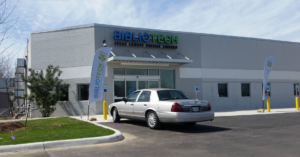
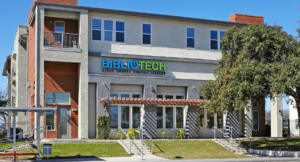
Bexar County's BiblioTech is the first all-digital public library in the United States. BiblioTech is located in Bexar County, Texas.
Free Parking Available
BiblioTech offers convenient free parking for all visitors and patrons.
Parking Locations
Parking Guidelines
Questions?
If you have any questions about parking or need assistance, please don't hesitate to ask our friendly library staff at the front desk.
Free Parking Available
BiblioTech offers convenient free parking for all visitors and patrons.
Parking Locations
Parking Guidelines
Questions?
If you have any questions about parking or need assistance, please don't hesitate to ask our friendly library staff at the front desk.
Free Parking Available
BiblioTech offers convenient free parking for all visitors and patrons.
Parking Locations
Parking Guidelines
Questions?
If you have any questions about parking or need assistance, please don't hesitate to ask our friendly library staff at the front desk.
Free Parking Available
BiblioTech offers convenient free parking for all visitors and patrons.
Parking Locations
Parking Guidelines
Questions?
If you have any questions about parking or need assistance, please don't hesitate to ask our friendly library staff at the front desk.
Garage Parking
Bexar County provides discounted parking for jurors. With a validated ticket, parking is $3 per day. To receive the discount, present your parking ticket at the Central Jury Room administration windows. Note: Do not present tickets at the BiblioTech booth.
Questions?
If you have questions about parking for jury service, please speak to the Jury Services staff inside the Central Jury Room.


![6[90]](https://bibliotech.org/wp-content/uploads/2025/12/690.png)






![Craft Corner Flyers 8.5×11 (1000 x 400 px) (1)[1]](https://bibliotech.org/wp-content/uploads/2026/01/Craft-Corner-Flyers-8.5x11-1000-x-400-px-11.png)

![Join our librarian (1000 x 400 px) (2)[88]](https://bibliotech.org/wp-content/uploads/2026/01/Join-our-librarian-1000-x-400-px-288.png)